


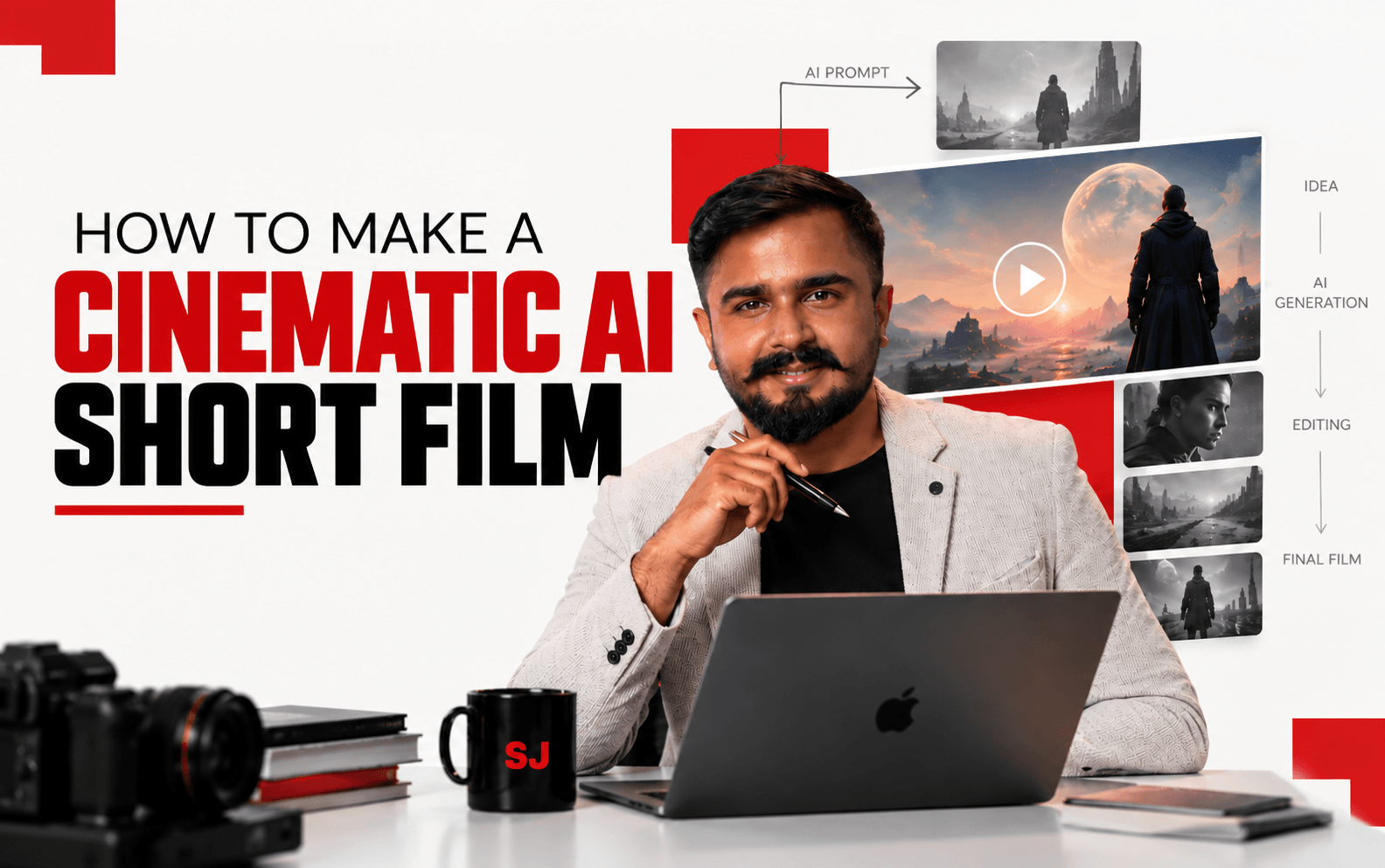
A few years ago, if a brand wanted to make a cinematic AI Short film, the budget conversation started at a lakh or two, a location shoot, a crew, and a minimum two-week timeline. I have sat across that table more times than I can count, both as the agency pitching the idea and as the consultant explaining to a founder why a “quick film” is never actually quick. That conversation has fundamentally changed in 2026.
I recorded a full, hands-on walkthrough of building a cinematic AI short film from a blank page to a finished cut. If you would rather watch the build happen live, the original tutorial is here: How to Make a Cinematic AI Short Film From Scratch on YouTube.
This is not a list of cool AI video tools. It is the production workflow I now use and teach: how to go from a one-line idea to a finished, watchable short film using AI video models, without owning a camera, a crew, or a studio.
Table of Contents
Why am I Teaching How to Make a Cinematic AI Short Film
I am not a filmmaker by training. I am a marketer who has spent 18-plus years figuring out what gets a brand noticed, and in 2026, cinematic short-form video is the single highest-leverage content format available to a small team.
My agency, echoVME Digital, manages 300-plus brands, and the request I get most often from founders right now is not “write us a blog”, it is “can you make us something that looks like a film.”
AI video generation has crossed a real threshold. Just two years ago, AI video meant short, morphing clips with extra fingers and backgrounds that melted into each other. Today, models like Google’s Veo, OpenAI’s Sora, and Kling generate footage with synchronized audio, stable human movement, and genuine cinematic camera language: dolly pushes, rack focus, crane reveals the same vocabulary a real director of photography uses on set.
| Clarity, consistency and context is what separates creators who last from the ones chasing every trend.” The same principle applies here: the tool is not the differentiator anymore. Direction is. Anyone with a subscription can generate a clip. Very few people can direct a sequence of clips into something that actually holds a viewer’s attention for three minutes. |
The Biggest Mistake While Making a Cinematic AI Short Film
Almost everyone who tries this for the first time makes the same mistake: they open one AI video tool, type a long, novel-length prompt, and expect a finished film to come out the other end in one generation. It never works that way, and it never will, because no single AI model in 2026 is the best at everything.
Professional AI filmmaking is a stack, not a single tool. You use different models for different jobs in the same way a real production uses a different crew member for lighting, for camera, and for sound. Treating AI video like a slot machine generate, hope, regenerate is the fastest way to burn your credits and your patience without anything to show for it. Treat it like a production set instead, and the entire process becomes predictable.
My Complete Workflow: How to Make a Cinematic AI Short Film
Here is the exact sequence I follow and teach, broken into the same five stages every real film production goes through, just compressed from weeks into a few focused hours.
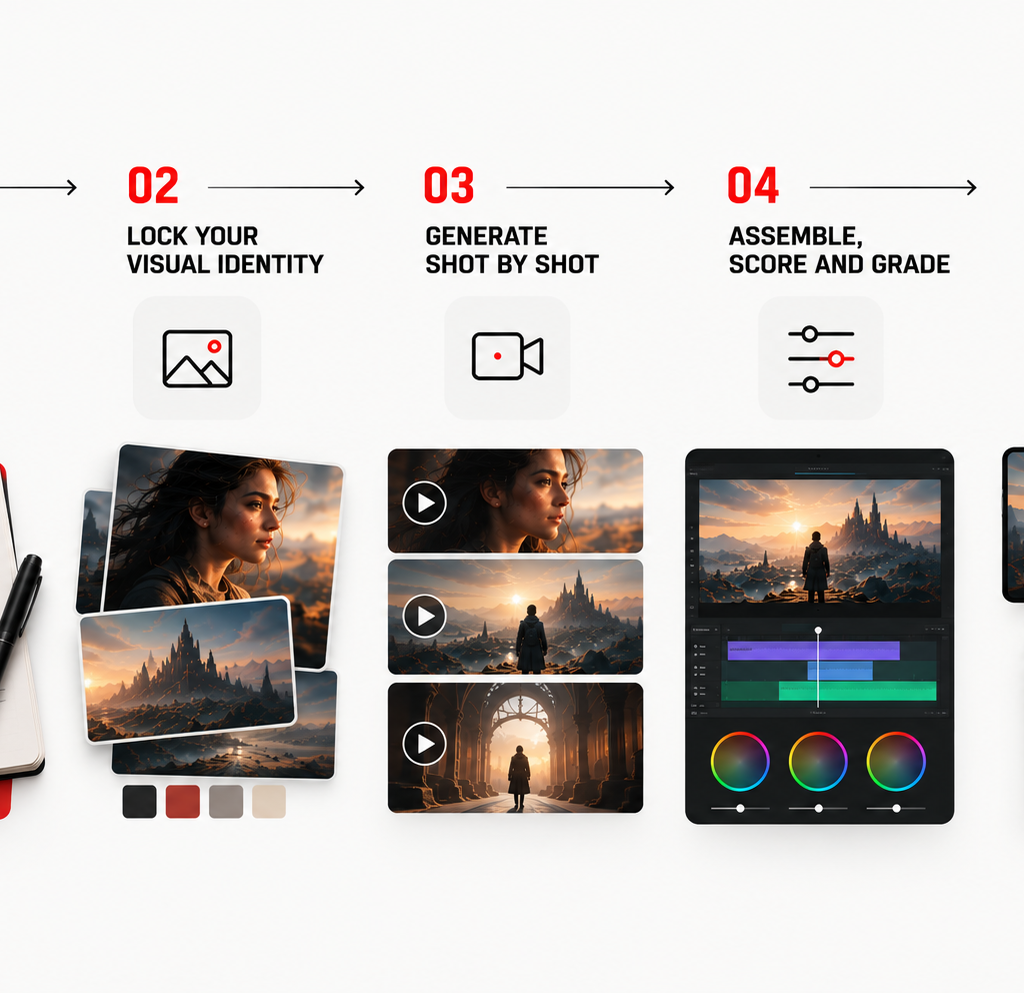
Step 1: Write the Idea Like a One-Page Pitch, Not a Script
Before opening a single AI tool, I write what I call a one-page pitch: who the character is, what they want, what stands in their way, and how it resolves in under five shots. This discipline matters more in AI filmmaking than in traditional filmmaking, because every shot you generate costs time and credits. A clear pitch tells you exactly what to generate and, just as importantly, what not to generate.
- Keep the story to one core emotional beat. A three-to-five-minute AI short cannot carry three subplots. Pick one feeling you want the viewer to leave with.
- Break it into 5 to 8 shots. Each shot becomes one generation. More shots than that, and continuity becomes the hardest part of the entire project.
Step 2: Lock Your Visual Identity Before You Touch Video
This is the step almost every beginner skips, and it is the one that separates an amateur AI reel from a film that looks like one continuous production.
- Generate 3 to 4 reference stills of your main character or location using an image model, establishing the look, lighting, and color grade you want for the entire film.
- Use the “ingredients” approach. Most current video models, Veo’s Ingredients to Video being the clearest example, let you upload multiple reference images of your character and setting and lock that identity in place, so the actor in shot one looks like the same actor in shot five.
- Treat this stage as your costume, lighting, and location department. Get it right here, and every later shot inherits consistency for free.
Step 3: Generate Shot by Shot, Not Film by Film
Once your visual identity is locked, move into the actual video generation, one shot at a time.
- Build a model stack, not a single tool. Use a strong cinematic-realism model for your hero shots and emotional close-ups, a model known for stable human movement for any walking, dancing, or facial-expression-heavy shots, and a wide-landscape model for establishing shots. No single platform currently wins at all three.
- Keep your motion prompts short. Once a reference image already dictates the look, your text prompt only needs to describe the motion; for example, “slow cinematic dolly push forward, subtle wind in the hair” rather than re-describing the entire scene.
- Use start and end frame animation. Upload a still as the start frame, a second still showing where the character ends up, and let the model fill in the motion between them. This single feature gives you far more control than a pure text prompt ever will.
- Prototype cheap, finalize expensive. Generate your test passes on faster, lower-cost models first, and only spend your premium generations on the shots you have already proven work. This alone can cut your total cost by more than half.
Step 4: Assemble, Score, and Grade
Generated clips are raw footage, not a finished film. This stage is where a film gets made or stays a pile of clips.
- Pull every generated clip into a standard video editing timeline the same software you would use to edit any other video.
- Sequence the shots in story order and trim each one to its strongest few seconds; most generated clips have a better four seconds inside a longer take.
- Add music and sound design. Some current models generate synchronized audio natively alongside the video, which removes one of the biggest bottlenecks in this entire workflow, but a separate music bed still does more for emotional pacing than native dialogue audio alone.
- Apply one consistent color grade across every shot at the end, even if each clip came from a different model. This single step does more to make a film feel “shot together” than any other part of post-production.
Stage 5: Export for the Platform, Not Just for the Film
A cinematic short for a brand campaign rarely lives in only one place. Before you call it finished, export versions built for where it is actually going to run.
| Platform | Recommended Format | Why it matters |
| YouTube | 16:9, full cinematic cut with opening titles | Built for sit-down viewing and SEO-driven discovery |
| Instagram Reels / YouTube Shorts | 9:16, re-cut to lead with the strongest shot in the first 2 seconds | Algorithms reward an immediate hook, not a slow build |
| 1:1 or 16:9, captioned, under 90 seconds | Professional audience watches with sound off by default | |
| Client pitch deck | Full cinematic cut embedded in a slide, plus a behind-the-process slide | Showing the workflow builds more trust than the film alone |
How I Use This Workflow Across My Business1. At echoVME Digital – Campaign films for brands without a production budget
For brands that cannot justify a full shoot for a single campaign concept, we now prototype the entire film as an AI cinematic short first. It lets a client see and approve the emotional direction of a campaign before a single rupee goes toward a real production, and in several cases over the past year, the AI version has been polished enough to ship as the final asset.
2. At Digital Scholar – Teaching the next generation of creators
AI filmmaking is now part of our AI tools curriculum, because the skill that matters here is not technical operation of any one platform; it is the same storytelling and direction sense that has always separated good marketing content from forgettable content. We teach the workflow, not the tool, because the tool will change again within a year.
3. For my own personal brand content
Every keynote and major announcement I make now gets a short cinematic teaser built using this exact workflow. It takes a fraction of the time a traditional video shoot would, and it consistently outperforms a plain talking-head clip on watch time and shares.
My Pro Tips for a Cinematic Result, Not an AI-Looking One- Direct like a DP, not a prompt engineer. Use real cinematography language: dolly, rack focus, Dutch angle, crane reveal rather than vague adjectives. The models respond to this vocabulary far better than to generic descriptions.
- Specify lighting before anything else. Lighting sets the emotional register of a scene before a single word of dialogue plays. “Teal and orange cinematic grade, shallow depth of field” reads instantly as a commercial; flat, even lighting reads as amateur.
- Lock your reference images and reuse them. Build a small library of approved character and location stills for a project, and pull every shot from that same set instead of generating fresh references each time.
- Specify the frame rate. Film-like motion and the temporal rhythm audiences associate with cinema come from a specific frame rate; always state it rather than leaving it to the model’s default.
- Budget for iteration, not perfection on the first pass. Even the best current models produce an unusable shot occasionally. Build two or three attempts per critical shot into your time and cost estimate from the start.
Frequently Asked Questions About Making AI Short Films1. Do I need any filmmaking or video editing experience to make an AI short film?
1. Do I need any filmmaking or video editing experience to make an AI short film?
No prior filmmaking experience is required to start, but a basic understanding of storytelling and shot composition makes a significant difference in the final result. Most current AI video platforms are built for beginners, generating a usable clip from a simple text prompt within minutes. The skill that actually separates a polished cinematic short from an amateur-looking one is direction: how you sequence shots, what camera language you use, and how you edit the final cut together, not technical mastery of any single tool.
2. Which AI video tool should I start with as a complete beginner?
Start with whichever current model offers the most generous free or low-cost trial, since the underlying skill of directing AI footage transfers between platforms. As of 2026, Google’s Veo and OpenAI’s Sora are generally considered the strongest for raw cinematic quality and physics, while Kling is known for stable human movement across multiple shots. Many creators now use a multi-model workspace that gives access to several of these tools under one login, which is the most practical starting point if you do not want to commit to one platform immediately.
3. How long does it actually take to produce a finished cinematic AI short film?
A polished three-to-five-minute cinematic short typically takes four to eight focused hours from a written pitch to a final exported cut, once you already know the workflow. Most of that time goes into writing the pitch, building consistent reference images, and editing the assembled clips together, not the actual video generation itself, which usually takes five to ten minutes per shot. Your first attempt will take noticeably longer than this; budget extra time for learning the prompt language on your first project.
4. How much does it cost to make an AI short film compared to a traditional shoot?
Most current AI video platforms operate on monthly subscriptions starting in the single digits to low double digits of dollars, with higher tiers unlocking premium models and longer generations. A complete cinematic short can realistically be produced for a fraction of even a modest traditional shoot’s budget, which historically starts at several lakhs in India once you include crew, location, and equipment. The trade-off is your own time spent directing, iterating, and editing, which a paid production crew would otherwise absorb.
5. Why do my AI-generated characters look different from shot to shot?
This is almost always a reference-consistency problem, not a model limitation. If you generate each shot from a fresh text prompt without reusing the same character reference images, the model has no anchor for what your character should look like, and small variations compound across shots. The fix is to lock a small set of approved reference stills for your character early in the process and feed those same references into every subsequent generation, using your platform’s image-to-video or character-locking features rather than text descriptions alone.
6. Can AI-generated video include realistic dialogue and lip-sync?
Yes, several current models, including Google’s Veo and OpenAI’s Sora, can generate synchronized dialogue, lip-sync, and background audio natively alongside the video in a single generation pass. This has removed one of the biggest historical bottlenecks in AI filmmaking, which used to require separate audio generation and manual syncing in post-production. That said, dialogue-heavy scenes are still more failure-prone than simple action or atmosphere shots, so I recommend testing dialogue shots early rather than building an entire script around them.
7. What is the biggest technical limitation of AI video generation right now?
Continuity across longer sequences remains the core limitation. While a polished three-to-five-minute short is fully achievable, producing a flawless, continuous feature-length film with perfect character and environment continuity is still genuinely difficult and time-consuming, even with the strongest current models. Most failures show up as physically implausible motion, objects or people that subtly change appearance between shots, or unnatural interactions between multiple characters in a single frame, which is why shorter, tightly directed sequences remain the most reliable format.
8. Can brands legally and safely use AI-generated short films in advertising?
Brands can use AI-generated film in advertising, but the legal and ethical groundwork needs attention before a campaign goes live: confirm the platform’s commercial usage rights, avoid generating recognisable real people without consent, and disclose AI involvement where local advertising regulations require it. I advise every client at echoVME Digital to treat this the same way they would treat stock footage licensing read the platform’s commercial terms directly rather than assuming free or low-cost tiers include full advertising rights.
9. How is making an AI short film different from using tools like Napkin AI or NotebookLM?
These tools sit at completely different stages of a content pipeline. Napkin AI turns text into a single static diagram in seconds, and NotebookLM helps you research and synthesise large amounts of source material with citations. AI filmmaking is a multi-stage production process writing, reference building, shot generation, editing, and grading that produces a moving, narrative piece of content. In my own workflow, NotebookLM might research a campaign theme, Napkin AI might visualise one supporting data point, and the AI film workflow turns the core idea into the actual hero asset.
10. What is the single most important skill to develop for AI filmmaking in 2026?
Direction, not prompting. The technical gap between AI video models is closing every few months, but the gap between someone who generates a random pile of pretty clips and someone who directs a coherent, emotionally resonant sequence is widening. The most useful exercise I give my students is to pause a scene from a favourite film and try to write the exact AI prompt that would recreate that single shot. That habit builds real cinematographic instinct faster than any tutorial, including this one.
Final Word From Sorav
I have watched digital marketing go through several real shifts in 18 years the move to mobile, the rise of short-form video, the explosion of influencer marketing. AI filmmaking is the next one, and it is moving faster than any shift I have seen before it. The brands and creators who get ahead of this are not the ones with the biggest production budgets anymore. They are the ones who learn to direct.
My advice is the same advice I give in every workshop: stop reading about this and build one short film this week. Write your one-page pitch, lock your reference images, generate five shots, and cut them together. The workflow only becomes intuitive once you have made your first one, flaws and all.
If you want to see this entire process built live on screen, the full walkthrough is on my YouTube channel here: Watch: How to Make a Cinematic AI Short Film From Scratch
