


I have now reviewed every major AI video model that has launched in the past two years, on stage, on my YouTube channel, and inside our production pipeline at echoVME Digital. Most launches get a week of buzz and then quietly settle into being one option among many. Kling 3.0, which Kuaishou released on February 4, 2026, is the first one in a while that genuinely changed how my team plans a shoot.
I recorded a full, hands-on beginner’s walkthrough of this model for my YouTube channel, and this article is the written companion to that session, structured the way I teach it inside Digital Scholar’s classrooms. If you would rather watch me build with it live, the original tutorial is here: Complete Kling 3.0 Tutorial for Beginners on YouTube.
By the end of this guide, you will understand exactly what Kling 3.0 does differently, how to set it up and prompt it correctly from your very first session, and where it fits into the same AI production stack I have already covered in my Napkin AI, NotebookLM, and AI short film tutorials.
Table of Contents
What Is Kling 3.0, and Why It Is a Genuine Step Change
Kling is developed by Kuaishou, the Chinese technology company behind the short-video platform Kwai, and it has been one of the fastest-improving AI video models of the past 18 months.
Kling 3.0 is built on what Kuaishou calls a Multi-modal Visual Language architecture in plain terms, a single system that processes text, image, audio, and video together, instead of stitching together separate tools for each one the way most earlier AI video pipelines did.
The headline upgrade is resolution: Kling 3.0 is the first model to generate native 4K video at 60 frames per second, with no upscaling step involved. That distinction matters more than it sounds.
Most “4K” AI video before this point was 1080p footage stretched upward by a separate process, which loses texture detail and sharpness along the way. Kling 3.0 generates every pixel natively, and the difference is immediately visible the moment you view a clip on a large screen.
Since launch, Kling has grown into one of the most widely used AI video platforms globally, with tens of millions of creators generating hundreds of millions of videos on the platform. For an agency managing 300-plus brands, that scale matters: it is no longer a niche experimental tool, it is infrastructure.
What Actually Changed From Earlier Kling VersionsCapability Before (Kling 2.6) Kling 3.0 Resolution Up to 1080p Native 4K (3840×2160), no upscaling Frame rate Up to 48fps Up to 60fps Clip duration Up to 10 seconds Up to 15 seconds Audio Separate audio tools required Native, lip-synced audio in multiple languages, generated in the same pass Shot structure Single-shot generation only Multi-shot mode: 2 to 6 camera cuts from one structured prompt On-screen text Frequently illegible or distorted Signs, logos, and price tags stay legible
| Capability | Before (Kling 2.6) | Kling 3.0 |
| Resolution | Up to 1080p | Native 4K (3840×2160), no upscaling |
| Frame rate | Up to 48fps | Up to 60fps |
| Clip duration | Up to 10 seconds | Up to 15 seconds |
| Audio | Separate audio tools required | Native, lip-synced audio in multiple languages, generated in the same pass |
| Shot structure | Single-shot generation only | Multi-shot mode: 2 to 6 camera cuts from one structured prompt |
| On-screen text | Frequently illegible or distorted | Signs, logos, and price tags stay legible |
For an agency, the on-screen text reliability and native multi-shot generation matter more day to day than the 4K headline. Most of our deliverables go out at 1080p for social anyway but a model that can keep a logo legible and cut between two consistent camera angles in one generation removes a huge amount of manual stitching work from a strategist’s afternoon.
The Complete Kling 3.0 Tutorial: Step by Step for Beginners
This is the exact setup and workflow I walk through in the video, broken down the way I would teach it on day one of a Digital Scholar AI video module.
Step 1: Choose Your Access Point
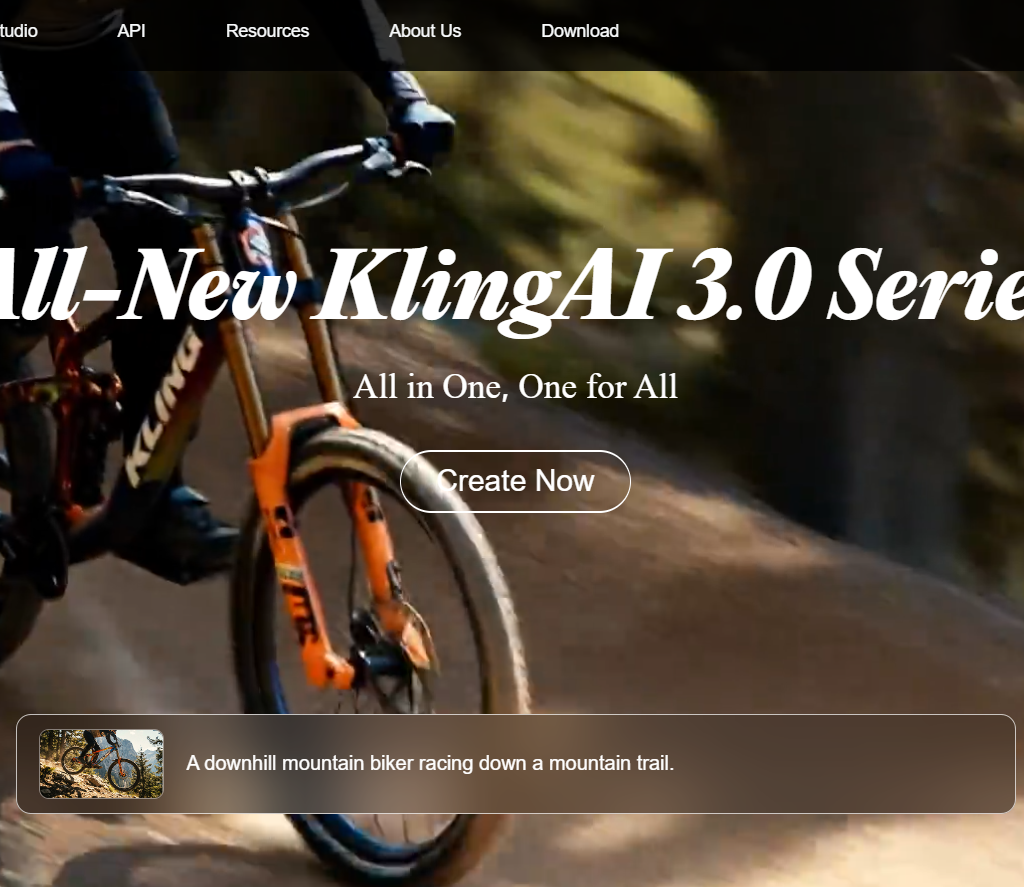
Kling 3.0 is available directly through klingai.com , through its iOS and Android apps, through developer APIs, and embedded inside several third-party creative suites and multi-model workspaces.
For a beginner, I recommend starting on the native Kling platform first, since that is where every new feature ships earliest, before deciding whether a bundled multi-model workspace makes sense for your ongoing workflow.
Step 2: Understand the Pricing Tiers Before You Commit
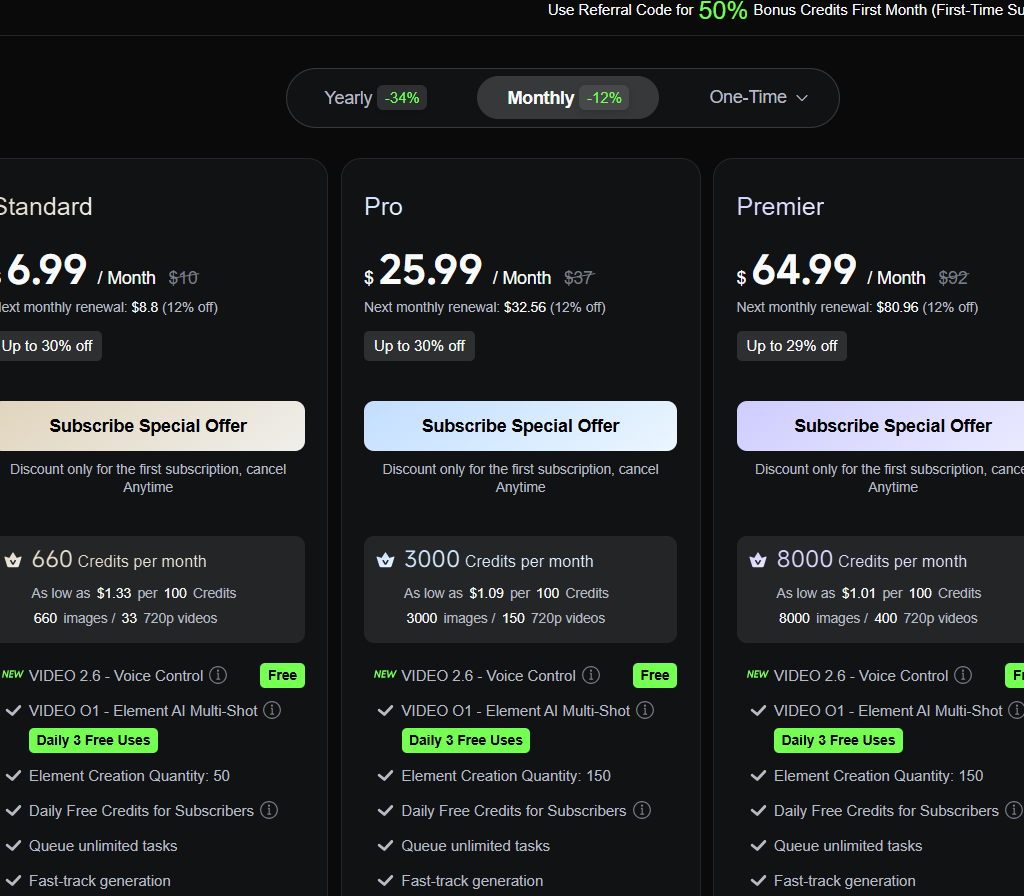
Kling’s free tier is genuinely usable for learning, which is more generous than most competing models offer at launch.
- Free: Around 66 daily credits, no rollover, 720p output with a watermark more than enough to learn prompting before spending money.
- Standard (roughly $7–$15/month): Several hundred monthly credits, 1080p output, watermark removed the right tier for a solo creator or small business testing real campaigns.
- Pro (roughly $30–$60/month): Thousands of monthly credits, priority generation queue, professional mode, and access to the highest resolution tiers this is where I put my agency’s working accounts.
My advice for anyone starting out: stay on the free tier until you have a prompt structure that consistently produces what you want, then upgrade. Spending credits while you are still learning the model’s quirks is the single most common way beginners burn through a paid plan in the first week.
Step 3: Pick the Right Mode for the Job
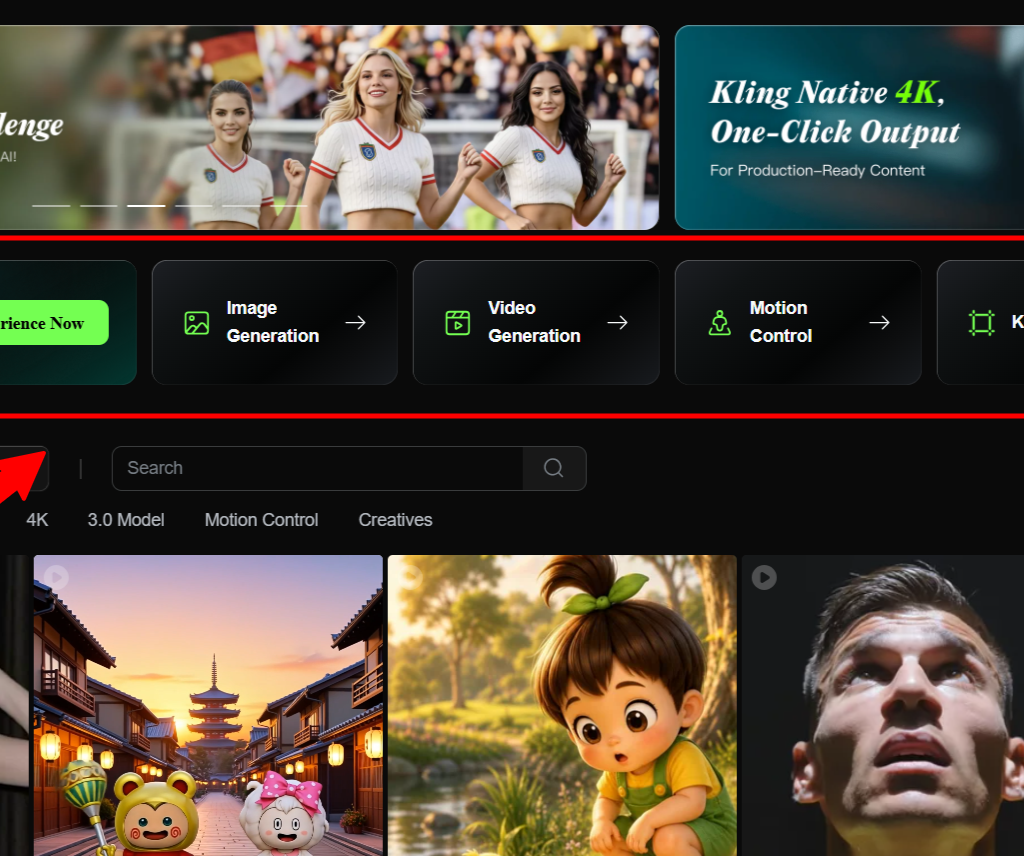
- Text-to-video. Start here for pure concept testing describing a scene from scratch with no reference material.
- Image-to-video. Upload a still image as your starting frame, then describe only the motion. This is the most reliable mode for brand work, because it anchors the look before any movement is added.
- Multi-shot / storyboard mode. Describe a full sequence up to six camera cuts in one structured prompt, and Kling 3.0 plans the shot list itself, including transitions like shot-reverse-shot dialogue and cross-cutting.
- Element and character reference. Upload reference images or video of a specific character, product, or prop, and Kling locks that identity face, posture, clothing consistently across every shot and scene transition in the generation.
Step 4: Write Prompts Kling 3.0 Actually Responds To
This is where most beginners lose quality, not in the tool itself. Kling 3.0 is sensitive to specificity in a way that rewards precise, professional language.
- Use real camera direction. Terms like “orbit shot,” “dolly push,” and “rack focus” consistently produce the intended camera behaviour, far more reliably than a vague description of what you want the viewer to feel.
- Be specific about lighting. “Good lighting” produces inconsistent results because it means nothing concrete to the model. “Soft window light from camera left, warm 3200K colour temperature” produces a predictable, repeatable result.
- Describe motion, not the whole scene, once you have a reference image. If you are working in image-to-video mode, the image already establishes the look — your prompt only needs to direct what moves.
- Draft at lower resolution first. Generate your test passes at 1080p until the prompt is right, then switch to 4K only for the final approved version. This single habit meaningfully cuts credit spend on every project.
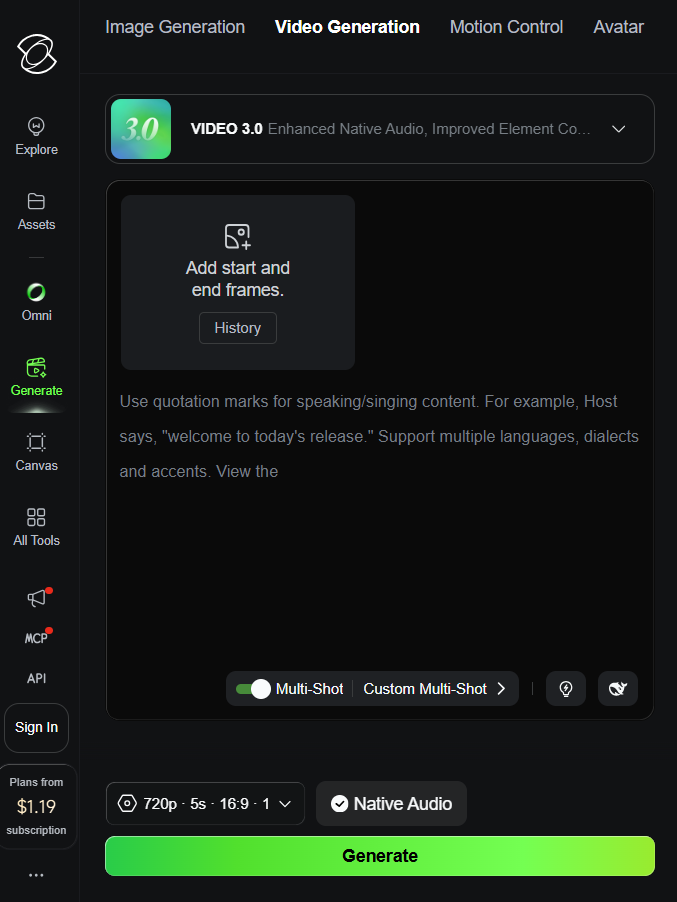
Step 5: Use Multi-Shot Mode for Brand Sequences
This is the feature that separates Kling 3.0 from being a single-clip generator and turns it into something closer to a previsualisation tool for an actual production..
- Write your sequence as a structured brief: describe each shot, the camera angle, and how it should connect to the next one, the way you would write a real shot list for a director
- Let Kling’s Multi-Shot feature plan the coverage automatically. It understands cinematic structures like classic shot-reverse-shot dialogue, cross-cutting, and voice-over pacing without you specifying every technical detail.
- Review the full sequence before committing to a final-resolution render. Transitions between shots can occasionally feel slightly mechanical, so treat this mode as a strong rough cut or previsualisation tool, then refine the weakest transition with a targeted regeneration.
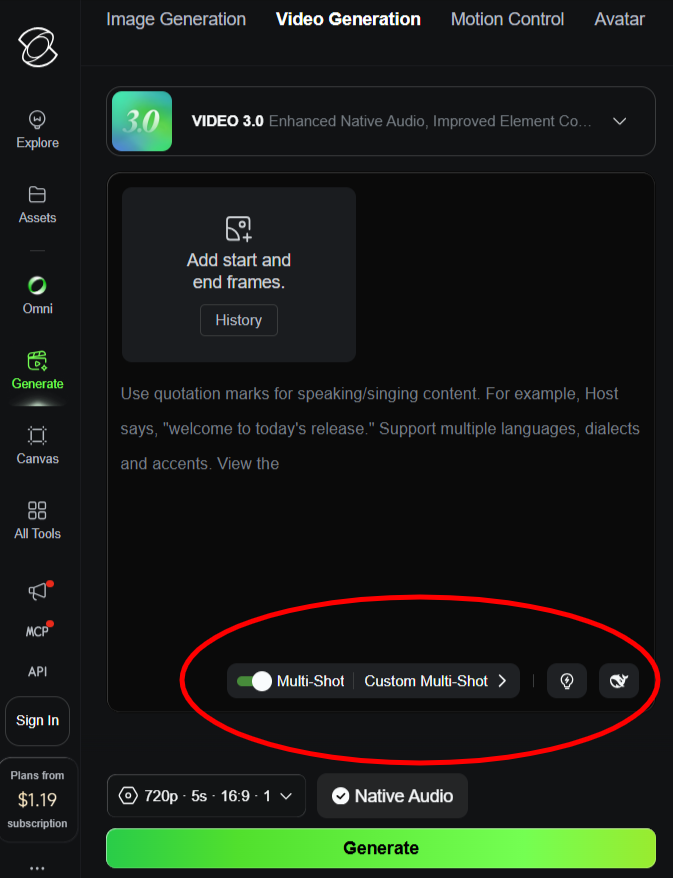
Step 6: Generate Native Audio in the Same Pass
Kling 3.0 can generate lip-synced, character-specific dialogue directly from your text prompt, in multiple languages and regional accents, without needing a separate voice tool or manual syncing step.
- Test your dialogue prompts in English first to confirm pacing and tone, then regenerate in your target regional language once the structure works.
- For multi-character scenes, each character can speak a different language in the same generation, which is genuinely useful for multilingual campaign cuts aimed at different Indian states or international markets.
- Treat the native audio as your first draft. For anything client-facing at a premium price point, run it past a native speaker on the team before it ships.
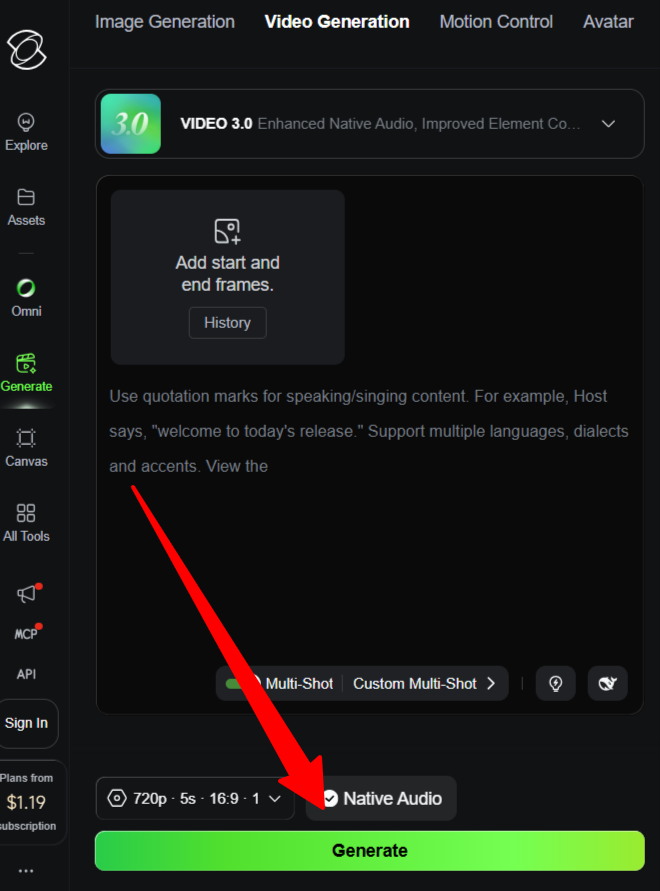
Step 7: Export, Edit, and Finalise
Export your approved generation at the resolution your destination actually needs full native 4K for broadcast or large-screen delivery, 1080p for most social platforms.
Bring the clip into a standard editing timeline for final trims, captions, and music layering, the same way you would treat footage from any other source.
Apply one consistent colour grade across the final cut. If you are combining Kling output with footage from other models or real shoots, this is what makes a hybrid production feel unified rather than assembled.
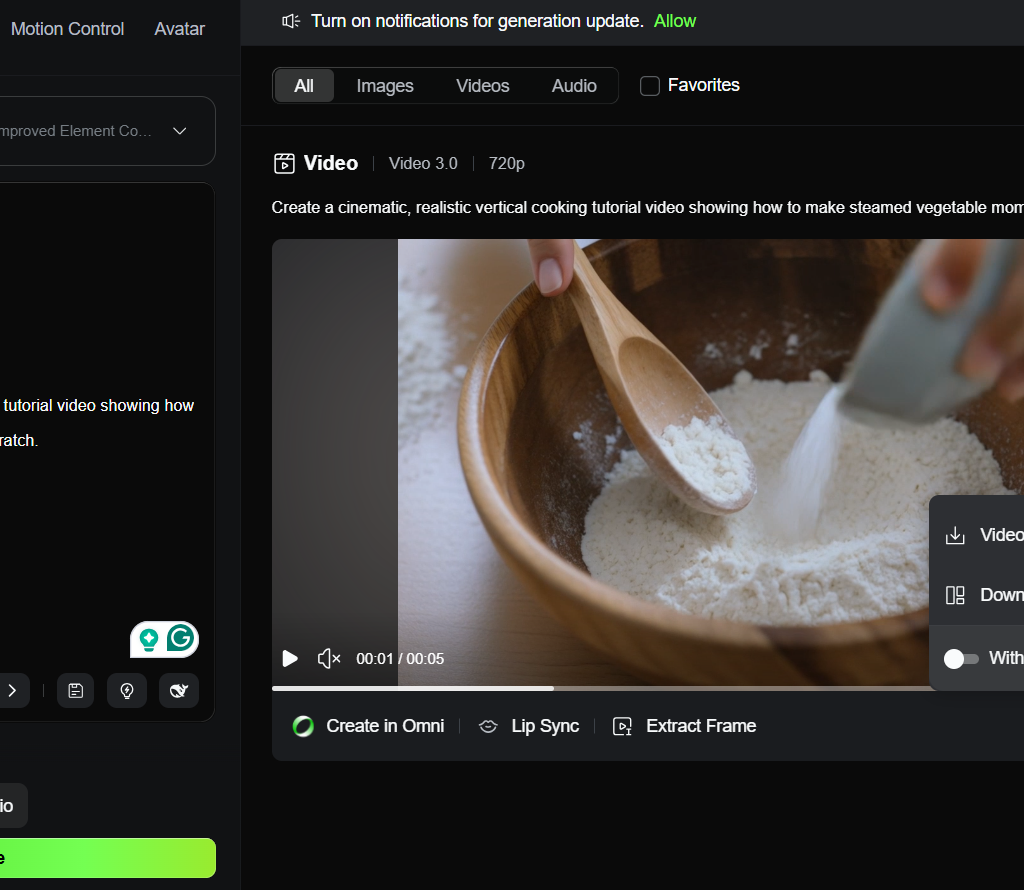
How I Actually Use Kling 3.0 Across My Business1. At echoVME Digital: Rapid ad concept testing
Before committing a client’s budget to a real shoot, we now generate two or three Kling 3.0 concept versions of the same campaign idea. It lets a client see and react to tone, pacing, and visual direction before a single rupee goes toward production, and the multi-shot mode means we can show a full sequence, not just a single isolated clip.
2. At Digital Scholar: Teaching director-level thinking, not just tool operation
Kling 3.0’s multi-shot and camera-direction sensitivity reward students who already understand basic film grammar shot types, coverage, pacing. We now use it specifically to teach that grammar, because the model gives immediate visual feedback on whether a described shot actually reads the way the student intended.
3. For e-commerce and product clients
Kling 3.0’s strength at keeping on-screen text and logos legible is a genuine advantage for product and e-commerce work, where a blurred price tag or distorted brand mark in a competing model has been a recurring, frustrating problem for our retail clients.
Kling 3.0 vs. Veo 3.1 vs. Sora 2: Where Each One Fits
This is the most common question I get the moment people see Kling 3.0’s resolution numbers, so let me be direct about it.
| Kling 3.0 | Veo 3.1 | Sora 2 | |
| Core strength | Native 4K, multi-shot direction, legible on-screen text | Emotional close-ups, environmental realism | Real-world physics, complex camera tracking |
| Best for | Product ads, brand sequences, multilingual dialogue | Dramatic, emotionally driven narrative shots | Physically grounded action and tracking shots |
| Free tier | Most generous of the major models | Very limited | Bundled with ChatGPT Plus |
My honest take, the same one I gave in my AI short film tutorial: no single model wins everything. I now reach for Kling 3.0 first for any sequence that needs multiple consistent shots, legible on-screen branding, or native multilingual dialogue, and I still bring in Veo or Sora for specific hero shots where their particular strengths matter more than mine does for that one frame.
My Pro Tips for Getting Better Output From Kling 3.0- Lock your reference assets early. Upload character, product, and environment references at the very start of a project and reuse them across every shot, rather than re-describing your subject from scratch each time.
- Write prompts like a shot list, not a paragraph. Structured, broken-out direction for camera, lighting, and motion consistently outperforms a single dense descriptive sentence.
- Draft cheap, finalise expensive. Generate at 1080p while you are still testing a prompt, and only spend premium 4K credits once you are confident in the result.
- Use multi-shot mode for previsualisation, not just final output. It is one of the fastest ways to show a client a full sequence concept before committing budget to a real production.
- Always review native audio with a human ear. Multilingual lip-sync is impressive, but client-facing, premium-priced work still deserves a native-speaker review pass before it ships.
Frequently Asked Questions About Kling 3.01. What exactly is Kling 3.0, and who makes it?
1. What exactly is Kling 3.0, and who makes it?
Kling 3.0 is an AI video generation model developed by Kuaishou, the Chinese technology company behind the short-video platform Kwai, released on February 4, 2026. It is built on a unified multimodal architecture that generates video, image, and synchronized audio within a single system rather than chaining separate tools together. It supports text-to-video, image-to-video, multi-shot storyboarding, and character-consistent reference-based generation, and is considered one of the most capable AI video models available as of 2026.
2. Is Kling 3.0 free to use?
Yes, Kling 3.0 has a genuinely usable free tier offering around 66 daily credits with no credit card required, producing 720p watermarked output. This is more generous than most competing models’ free tiers. Paid plans remove the watermark, unlock 1080p and native 4K output, and provide significantly more monthly credits along with priority generation. My advice for beginners is to learn the model’s prompting style entirely on the free tier before upgrading to a paid plan.
3. What is the maximum resolution and clip length Kling 3.0 can generate?
Kling 3.0 can generate native 4K video at 3840 by 2160 pixels and up to 60 frames per second, with no upscaling step involved, making it the first model to offer true native 4K output. Individual clips can run up to 15 seconds, and the multi-shot mode can combine two to six camera cuts within that duration from a single structured prompt, giving you a short but genuinely multi-shot sequence rather than one isolated clip.
4. How is Kling 3.0 different from earlier versions like Kling 2.6?
The major upgrades from Kling 2.6 to 3.0 include resolution moving from 1080p maximum to native 4K, frame rate increasing from 48fps to 60fps, clip duration extending from 10 to 15 seconds, and the addition of native multilingual lip-synced audio generated in the same pass as the video. Kling 3.0 also introduced multi-shot storyboarding and significantly more reliable rendering of on-screen text, signs, and logos compared to its predecessor.
5. Can Kling 3.0 generate dialogue and lip-synced audio?
Yes, Kling 3.0 generates synchronized, character-specific dialogue with lip-sync support across multiple languages and regional accents, produced natively in the same generation pass as the video rather than through a separate audio tool. In multi-character scenes, each character can speak a different language within the same clip. This makes it particularly useful for marketers producing multilingual campaign versions without running separate audio production for each language.
6. What is multi-shot mode, and why does it matter for marketers?
Multi-shot mode lets you describe a full sequence in one structured prompt, and Kling 3.0 automatically plans camera angles, compositions, and transitions across two to six cuts, including techniques like shot-reverse-shot dialogue and cross-cutting. For marketers, this matters because it produces something closer to a rough cut of a campaign concept rather than a single isolated clip, which is far more useful for client previsualisation and faster than manually assembling separate single-shot generations.
7. Does Kling 3.0 keep text, logos, and price tags legible in generated video?
Yes, and this is one of Kling 3.0’s quietly significant advantages over competing models. Signs, brand logos, and price tags generally remain legible in generated footage, where many other AI video models still struggle to render readable on-screen text reliably. For e-commerce and product marketing teams specifically, this reliability removes a recurring frustration that has made other models impractical for branded product content.
8. How does Kling 3.0 compare to Veo 3.1 and Sora 2?
Each model has a different strength, and no single one wins every use case. Kling 3.0 leads on native 4K resolution, multi-shot directing, legible on-screen text, and multilingual native audio. Veo 3.1 is strong for emotional, dramatic close-ups and environmental realism. Sora 2 is known for the most physically accurate motion and complex camera tracking. Most professional workflows in 2026, including mine, use a stack of models rather than relying on just one.
9. Can I maintain a consistent character or product across multiple Kling 3.0 generations?
Yes, Kling 3.0 supports element and character reference uploads, where you provide a reference image or short video of a character, product, or prop, and the model locks that identity, including face, posture, and clothing, consistently across every subsequent shot and scene transition. This is essential for any branded campaign that needs the same product or spokesperson to appear identically across a multi-shot sequence rather than subtly shifting between generations.
10. Is Kling 3.0 suitable for commercial and client advertising work?
Yes, Kling 3.0 output can be used for ads, social content, client work, and commercial production on paid tiers, where the watermark is removed and resolution options expand. Before committing client budget, confirm the specific platform’s commercial usage terms, since rights can vary slightly between Kling’s native platform and third-party workspaces that embed the model. I treat this the same way I treat any licensed creative tool: read the commercial terms directly before a client asset ships.
Final Word From Sorav
I have said this in every AI tutorial I have written this year, and Kling 3.0 is the clearest proof of it yet: the tool is no longer the bottleneck. Direction is.
A model that can generate native 4K, plan its own shot coverage, and produce lip-synced dialogue in five languages still needs a marketer who knows what story to tell and how to brief it correctly. That is the skill I keep coming back to in every Digital Scholar classroom, and it is the one that will outlast this specific model the same way it has outlasted every tool before it.
My advice is the same advice I give after every one of these tutorials: stop reading and open the tool. Write one structured, three-shot brief this week, generate it on the free tier, and see how close Kling 3.0 gets to what you actually pictured. The gap between what you imagine and what it produces closes fast once you have run a few real prompts through it.
